Spaghetti
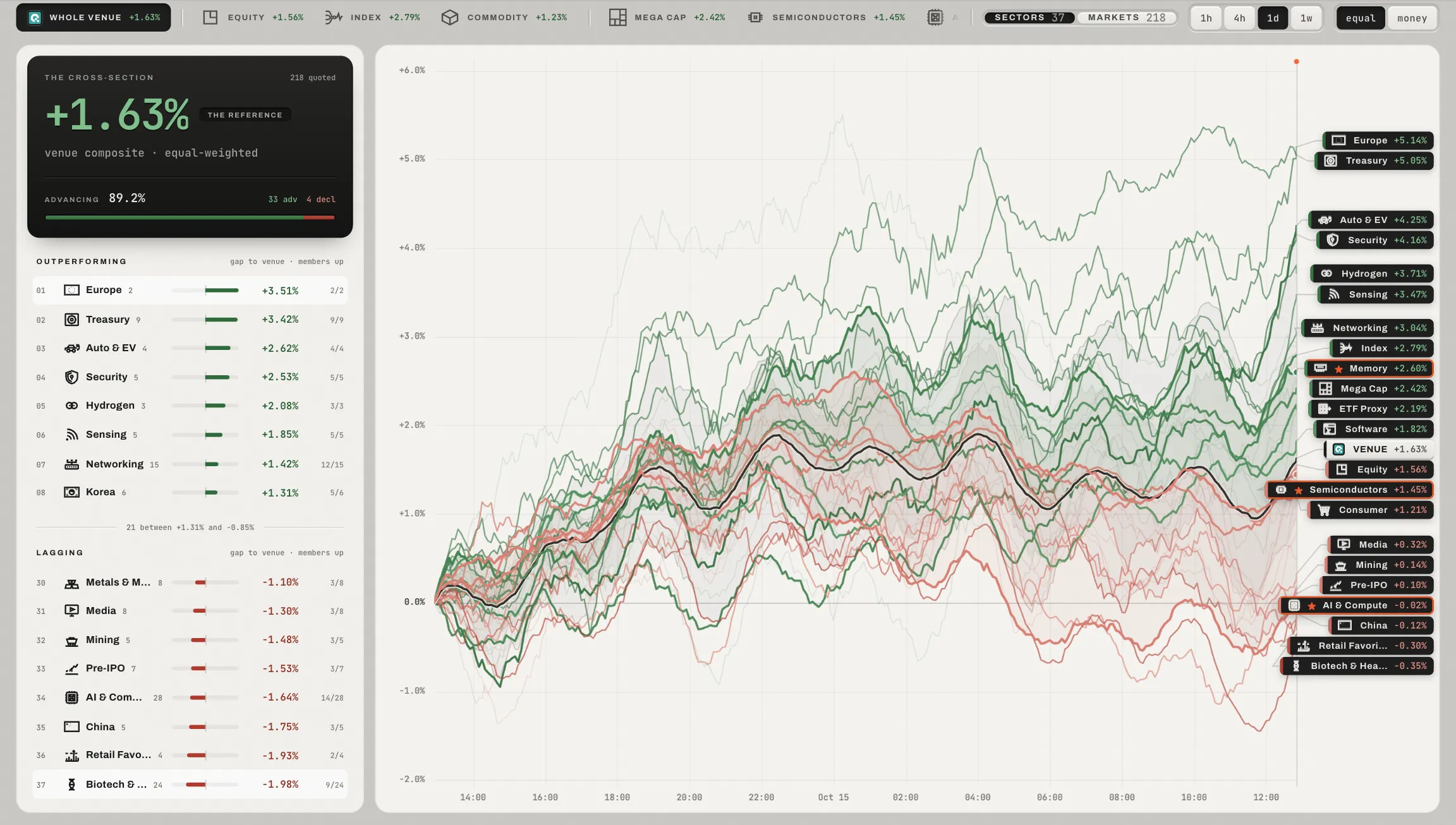
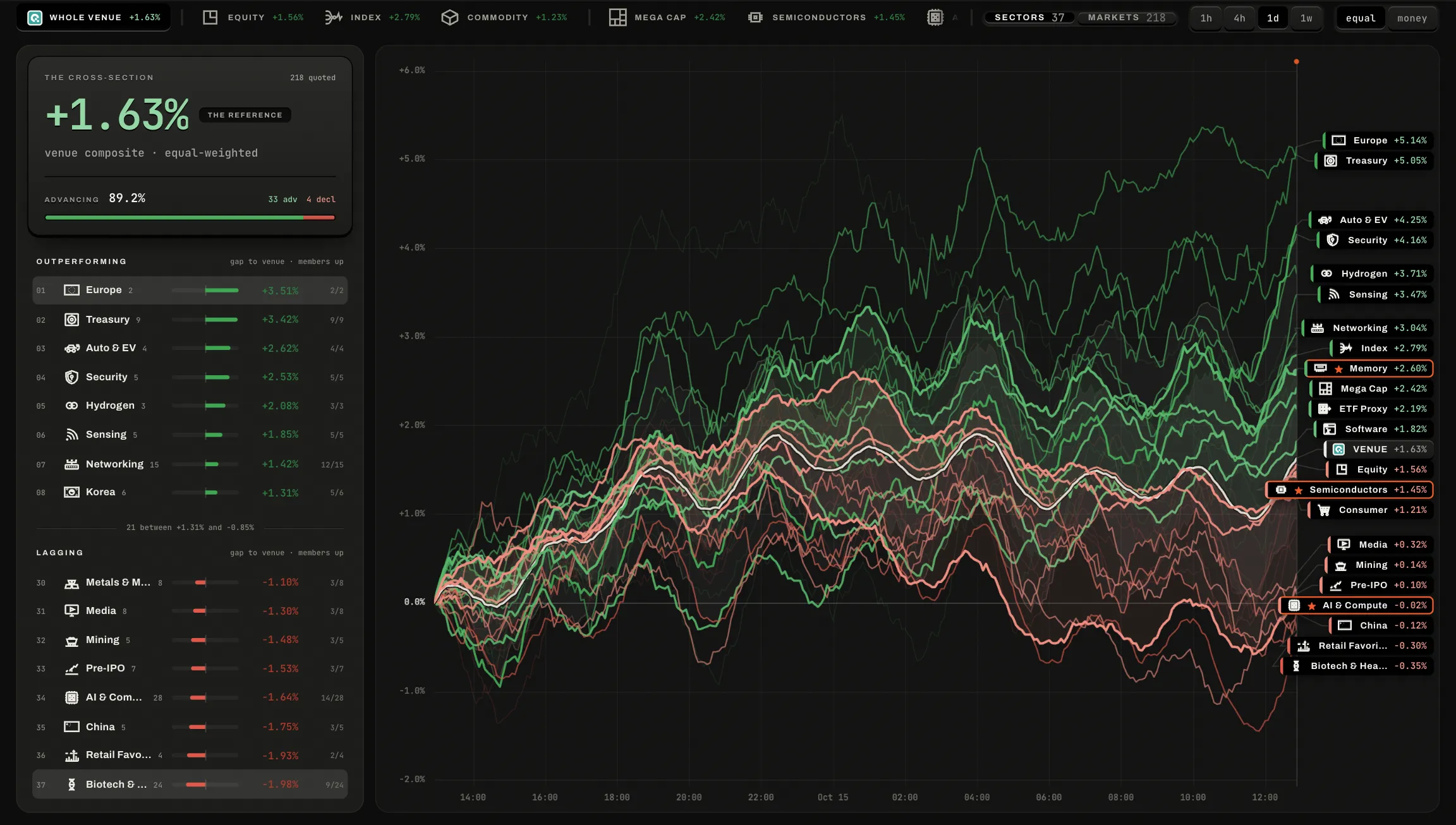
QFEX on one picture. Each line is a sector's composite, or a market, drawn as its change over the window from its own first bar, against the composite of the scope you are looking at: what led, what lagged, and whether a move was one name or everything.
 123
The whole venue at 1440 × 900 on the sample data.
Every QFEX market, a product class, or one sector, each chip with its composite's change. The address carries it: /spaghetti/Semiconductors.
The reference and its breadth, then what is outperforming and what is lagging, by how much, and how many members are up.
Rising lines in the bid's green, falling ones in the ask's red, deeper where a line moved further than the reference, the reference itself a thick ink line, and a quiet band holding the middle of everything else; the labels stand at the right edge.
The line in hand
- Point
- Nothing follows the hand over the lines: the cursor says one is under it. Its label at the right edge, or its row at the side, lifts it in orange and reads it out.
- One click opens it
- A composite opens its members; a market opens in Focus. The line you opened stays in hand in the address, so Back lands on the picture with it lit.
- The labels
- Run the pointer down the labels and one orange light glides from label to label; nothing under the pointer moves. A pane names as many lines as its height holds, so labels never pile up.
- Star
- Starred sectors and markets are drawn heaviest. A sector takes its star on its chip, the every-sector list or the card's head.
In its head
- A line is
- Sectors or markets, with how many of each. Sectors are drawn on one pane over the whole venue or a class; a sector's chip draws its markets, since a sector of a sector reads nothing.
- Panes
- One to six, on the wall's layouts, on one window. A pane's head opens its one list: a search, your favourites or one of your wall's tabs, then the sections. Your own lists are read against the whole venue. With several panes, one of them may draw every sector: All sectors is a row of that list, and picking it in another pane moves it there; every other row draws markets.
- Window
- 1h, 4h, 1D, 1W, 1M, 3M or the year to date, cut from QFEX's own candles; the page's notes (the footer's info key) name its bars and the time of its right edge, and when the venue's history is shorter than the window a ring on the plate, filled to its share, says how much of it there is. The right edge is QFEX's mark at the moment the digest carried it (mark); until then it is the forming bar as QFEX answered it (forming), and it reads held once it stops moving. A window opened again shows loading until QFEX has answered for it.
- Weight
- A composite's members count equally, or by the money that trades in them.
- Finding a line
- Here the bar's Markets finds a line instead of a market: ↵ shows it, ⇧↵ opens it; a market outside the view says where it lives.
On a phone
A page of its own: one line on top names the scope (press it for the scopes) and the window (press it for the tools); the chart under it, the whole width and half the screen, stays in view while the lists scroll, and reads the reference, the line in hand, or the time under a finger drawn sideways. The panes are pages: stroke the top line sideways, or press a dot under the chart (Discover).
The sectors
Each sector's mark, as the scope chips and the finder draw it.