Portfolio
The account at a glance, and a way down to every trade in it: what it is worth and how safe it is, then what is open, what is working and what happened last.
 123456
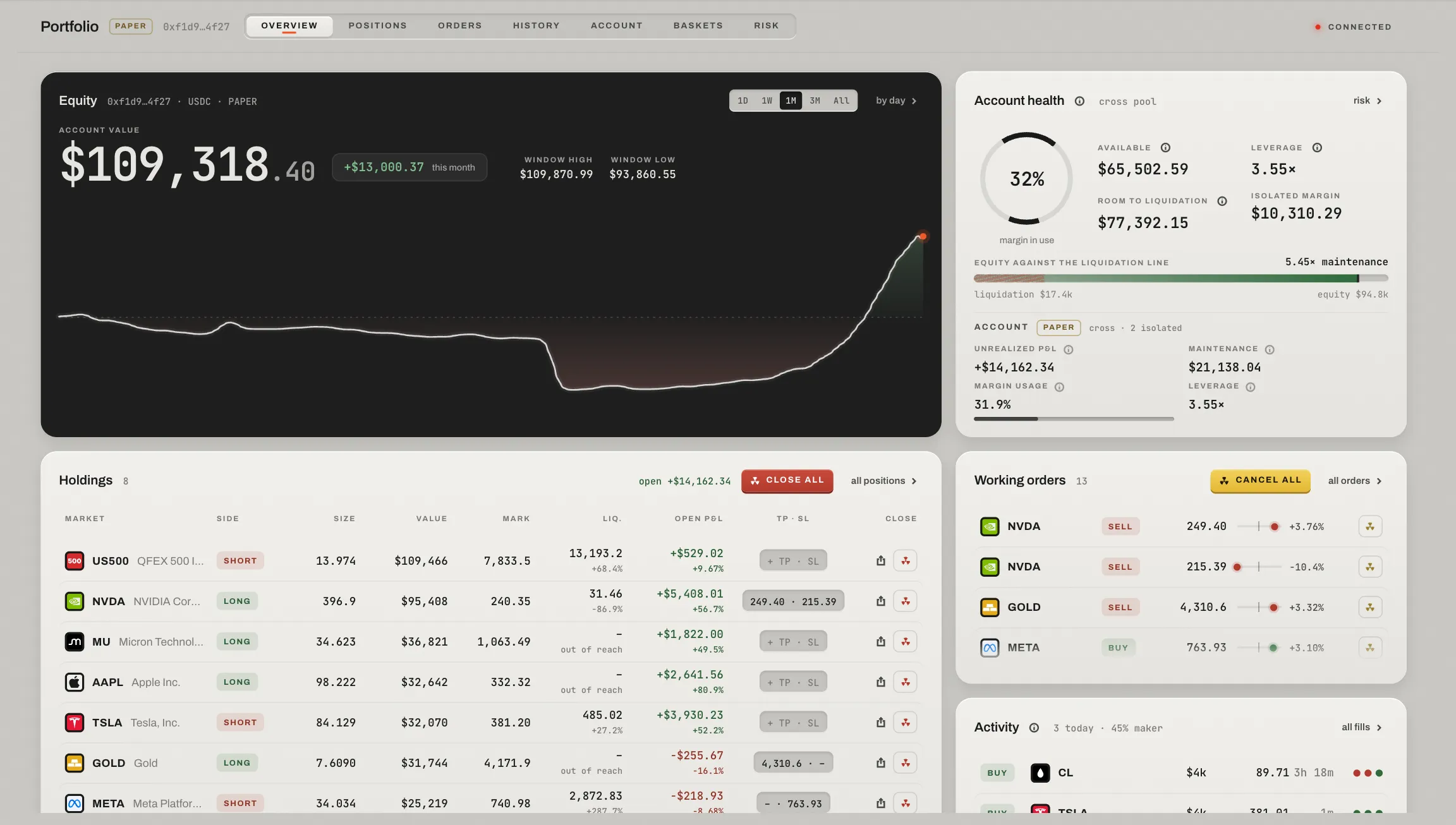
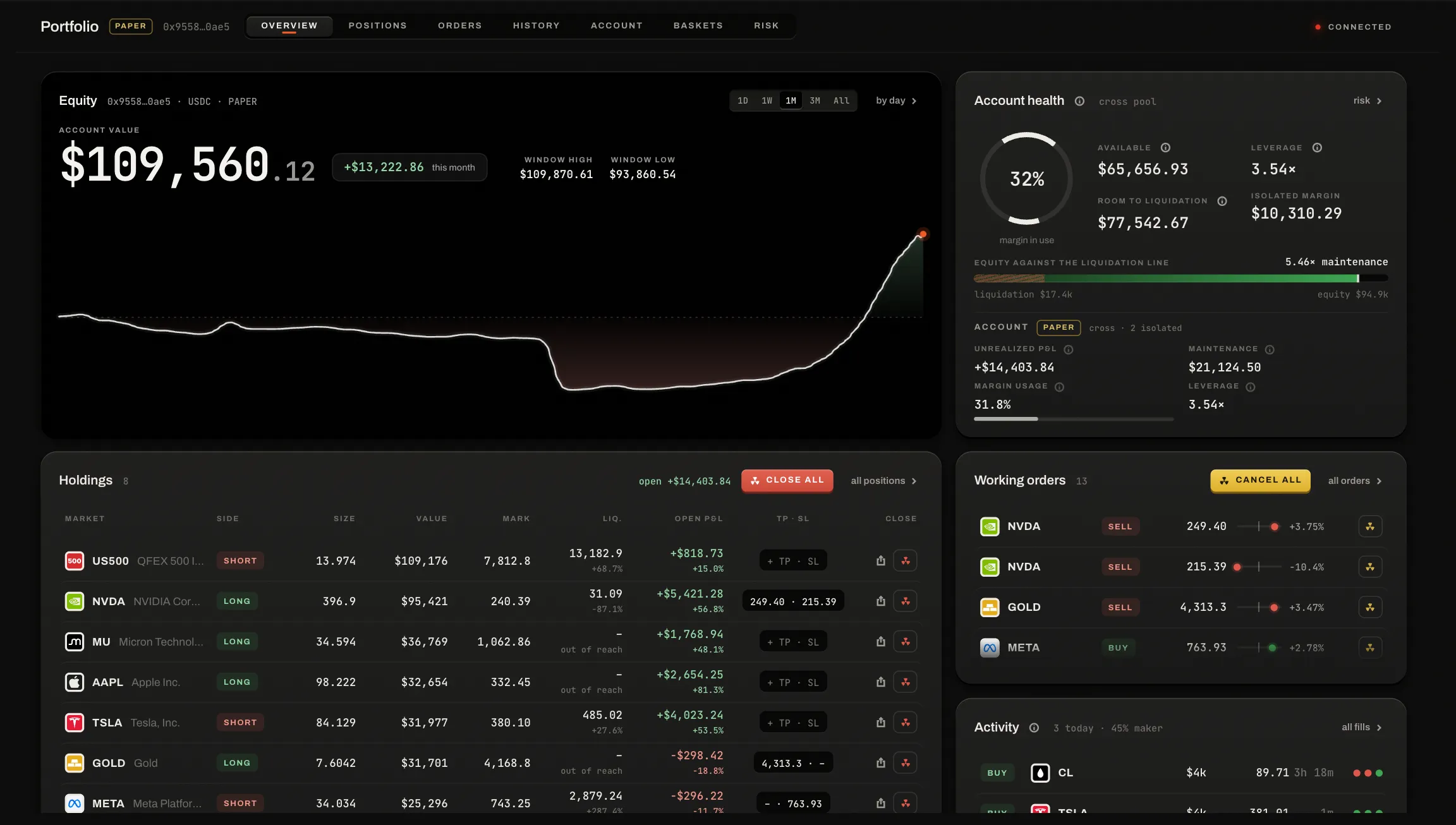
The first screen at 1440 × 900, on the demo account.
Overview, Positions, Orders, History, Account and Risk, each an address (/portfolio/positions).
The account's value, its change over the window (1D to All), its high and low, and its line. by day opens its days.
Margin in use; available, leverage, room to liquidation and isolated margin; equity against the liquidation line.
What you hold, with each row's close and its share key (its P&L card); all positions › is its page, with the part close and reverse.
Every working order with its price beside the market's mark and the distance between them.
The last fills, funding and transfers.
Below the first screen
A card for every section the first screen does not hold, each the way to its page: Trades (the daily P&L over the last ten round trips), Account (where the money came from in the window, and the fee tier), Exposure, and Daily volume.
A page, not a stretched table
On a wide window a section is a main and an aside: the table, and beside it the row you pressed, read whole. Narrower, the row's detail is a sheet over the table, closed with ✕, esc or the row again.
Signed out, or not live
- Signed out
- The Portfolio holds nothing of the account: one plate says why, that the account and its working orders carry on, and offers Connect.
- Read only
- With the account open in another tab of this browser, the page shows what that tab writes, under a band that says so, with Use it here.
- Last known
- While the market feed is down, the account's last figures, under a band that says so.
Logging out takes the account off the screen everywhere at once (How orders fill).
Positions, orders, history
From the account down to each fill. Press any row and it reads whole beside its table: a position, an order, a round trip, a fill.
 123
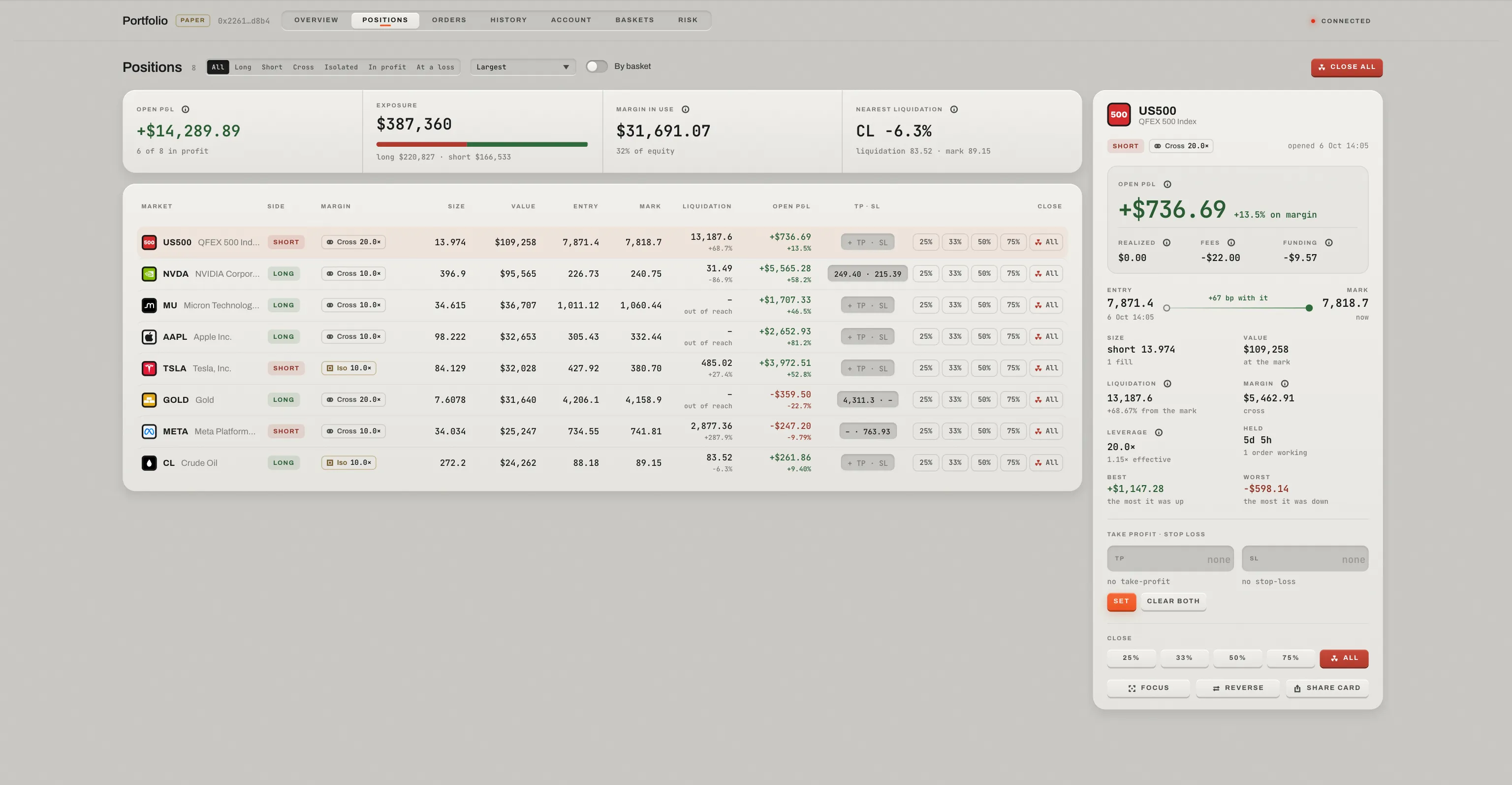
Positions on the demo account: the figures, the table, and the first position read beside it.
Open P&L, exposure long against short, margin in use and the nearest liquidation.
Filtered by side, margin and profit or loss, sorted; each row has its part close and Close.
The row you pressed: its open P&L with what made it, the road from the entry to the mark, its best and worst, TP and SL with what each would lock in, the closes, Focus, Reverse and its card.
- Positions
/portfolio/positions/NVDA-USDopens one.- Orders
- How many work on each side, what they would buy and sell, the margin they hold. The pane: the price and how far from the mark, size, filled and at what, time in force and flags, the queue ahead when it rested, its bracket. ↵ moves its price (a new place at the back of the queue); Focus; Cancel. An order that ends while you read it is read as done.
- History
- Three faces. A round trip: what made the net, every fill, its card. An order, as done: QFEX's own word for how it ended, filled and its average, the fee. A fill: its price and the slippage paid against the mid when it arrived, its markouts, the fee and rate, the position after, and keys to its order and its trip.
- One figure a column
- A round trip's net reads as a percentage of the notional it opened with.
- Its card
- A position's or a round trip's share key opens its P&L card: the result over the path it took, an image or a video (MP4, up to 1080p at 60 frames a second, every frame drawn at its exact moment), made in this tab and never uploaded. The ✕, or esc, goes back to where you opened it.
Acting from the lists
A single order's ✕ cancels on the press. A close, a part close, a reverse, a cancel-all and a TP · SL set ask first, with a live preview of what they would do (Confirmations). A take-profit, stop-loss or stop typed on the wrong side of the price says where it must stand (above the mark · 240.19), and Set or Move waits.