Trading from the wall
The wall trades from one ticket, in a column on its left. One press folds it to a tab and gives the cards its room; your account stands under the grid, as on Focus.
 1234
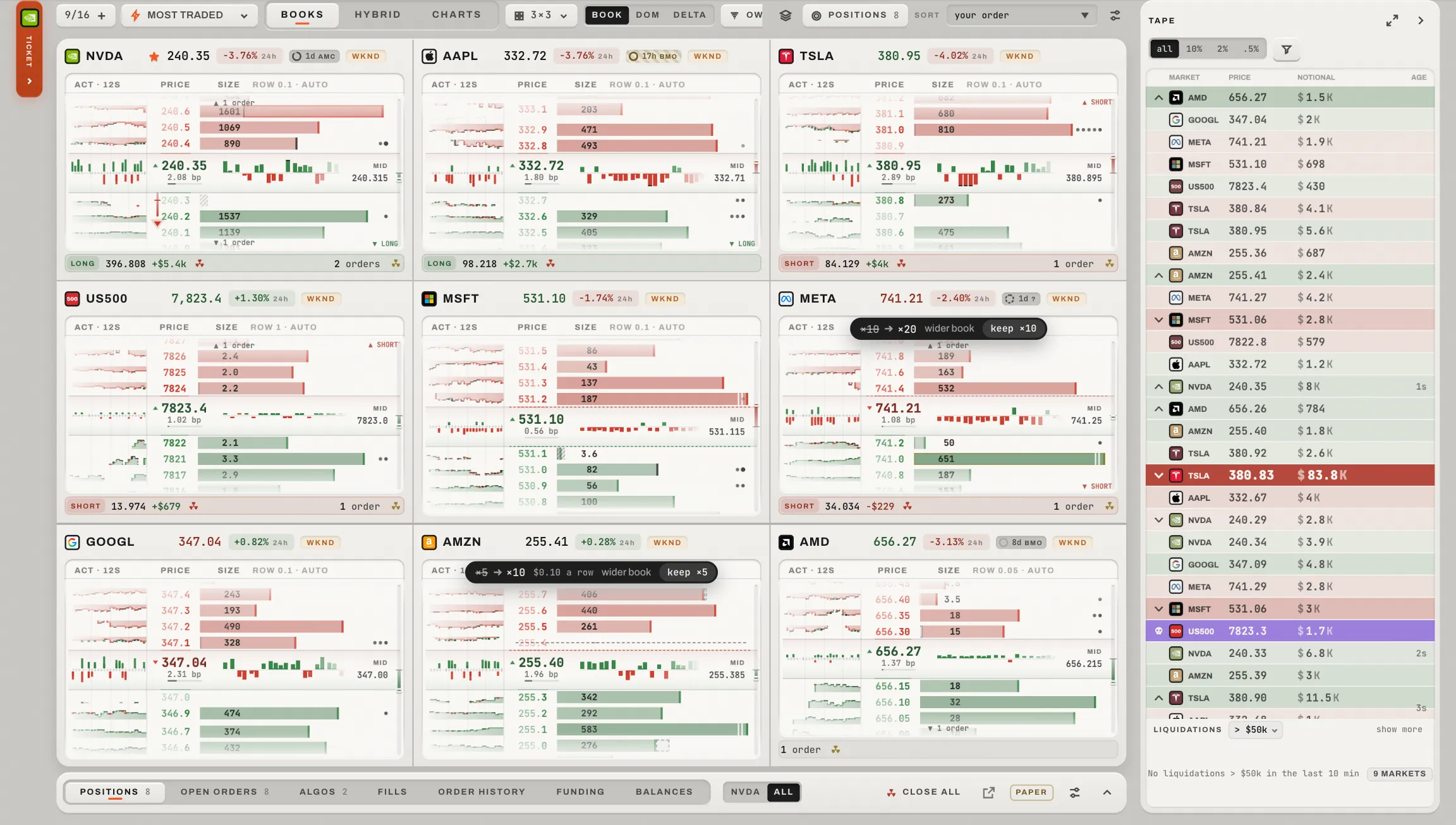
The ticket folded to its tab and the account folded to its tabs: the cards take the room.
The column, folded: the ticket's market and the word. A press opens it.
The grid takes back the room, and no card moves.
Folded to its tabs; a press opens it.
The markets on the wall's cards, as they print.
The column
- The market
- The ticket's market; a press picks among the wall's cards. Touching a card makes it the ticket's.
- Fast execution
- One line over the ticket: your sizes (a press sets the ticket's amount), this market's acts and the ⚙.
- The acts
- Cancel this market's orders, close it, reverse it, cancel everything: each asks where the account says it should.
- Its settings
- The sizes, the acts and A ticket beside each card (below).
- The ticket
- The same ticket Focus has (The ticket).
- The fold
- Its « folds the column into a tab; a press on the tab opens it again, and so does a click on a price.
A ticket beside each card
With four cards or fewer, each card can carry a ticket of its own, and a click on that card's book fills it. Turned on in fast execution's settings it folds the column.
A click on a price
On any book or heat lane: safe, it fills a ticket (the card's own if it has one, else the wall's). On a chart plate, safe, a click only reads the chart: select a price field of a ticket and the click writes the price into it, at the market's tick. Armed, the same click places the order: ⇧ takes to the row, ⌥ places a stop, ⌘ or Ctrl rests a tick in front, right-click cancels yours there. What is already yours on a plate is dragged or cancelled without the arm, and a take-profit or stop-loss stops at the price it may not cross.
- Arm
- The ARM in the bar, held, or ⇧space held: every book and plate takes the orange rim. A press on the lit key (its ✕), ⇧space held again or leaving the page makes it safe, and that never cancels a working order.
- The account
- Under the grid, Focus's panel, always the whole account: with no one market in front, a this-market switch would only hide rows of yours (The account panel).
- Signed out
- The wall draws nothing of the account (the panel says Not connected) and offers Connect where it would send. Working orders keep working meanwhile.
Keys
Armed, the card under the pointer or the cards you picked are the target of the execution set: ⇧Q and ⇧W join the bid and the ask, ⇧B and ⇧S buy and sell now, ⇧X cancels its orders and ⇧C closes it (The execution set). The ticket's few are Focus's (The ticket).