The bar and the footer
The same frame stands around every page: the bar holds what acts anywhere, the footer says how the feed and the page are doing. Most of it says what it is; what it does not say is here.

 123456789

 1112141516
The bar and the footer as they stand on Focus. Point at a number: the part lights here, and is ringed where it really is, around this page.
The market feed's state, and nothing else: orange while QFEX's feed is live in this tab, grey when it is not, yellow when the machine holds the display back. The tab's icon says the same.
Focus to Funding, ⌥1 to ⌥6; the Portfolio, ⌥7, opens from the account. A right-click offers a new tab, a new window or its link.
On Focus and the wall. Held while its light fills it, it turns every click on a price into an order; armed, it wears a ✕, and a press on it, ⇧space held again or leaving the page makes it safe, and a page is never saved armed (Click, fill, arm). Until the execution round is taken it offers the round.
The finder: your markets, then every market QFEX lists. The bolt is the page's quick pick: a whole wall in one press, the top four of every section on Focus, a section where a page sorts its own (Markets).
Sign in until you do, naming QFEX's venue (Signing in); then the account's word, with its state when it is not live: connecting, in another tab (read only here), offline. A press opens the account. The eye at its edge hides balances, P&L and sizes on every page at once (Privacy).
The page you are on as a picture, at the screen's own pixels: what you read, not what you operate, so the charts, books, tapes and figures, without the keys, fields, ticket, account panel or the charts' own position and order lines. A press puts the picture on the clipboard at once and opens it at size, composed for the frame with the page's name and the moment, never over what was taken. A chart's head stands on the legend's own columns: the market's mark over the studies' icons, its name over their labels. The sheet lets you leave panels and what is yours on the charts in or out, and offers Page or Chart, Copy and Download. With Preview first off there is no sheet, only the clipboard (Settings → Screenshots). Nothing is uploaded, and hidden figures stay hidden.
The ground you read on: a press picks one of two light and four dark (Grounds).
Help for the page you are on (Help).
Everything that shapes the product (Settings).
The page you are on. Its own switches sit in its own head, never in the bar, so the bar reads the same on every page.
The link's dot, then QFEX's glyph (uat beside it on QFEX's test venue, demo on the sample data) and the round trip. The dot is steady while the link is live, breathes while it reconnects, and is an empty ring when it is down; a slow answer turns only the figure gold, and a blip the first try heals shows nothing. A press tries again now and never reloads the page.
What the tab moves and records, and what to record (below).
The bar's centre: what runs now and every answer. With positions open it holds their marks and the account's total open P&L; a press opens them, the notices folded under them (Notifications).
The page's own notes: how its figures are made, their source, their unit and their time (below). A page with none shows no key.
The terminal's one time zone and its time; a press picks another (below).
Frames a second as this page draws them; yellow when the display is held back, and a press says why.
The mark's three states
A tab that does not hold the account is not off the air: its books and mark are live, and its account says in another tab.
Low power is read, never guessed: when frames settle at 30 (a browser's energy saver) or 60 (the Mac's Low Power Mode) on a faster display, the mark turns yellow and the fps says which and what lifts it. Nothing is lost: every book keeps recording.
Tabs
Focus and the Wall each keep a row of tabs, so several markets and walls stay one press away. A row is as wide as its faces: a bank never stands wider than its words, and a fold glides rather than jumps.
- The +
- Shows its markets where you press it: what you hold and what you closed, your Starred, each Wall tab and what is moving now. Each is a chip, and a press opens it. Two rows at the most; the rest sit behind +n.
- One tab a market
- Opening a market that already has a Focus tab brings that tab to the front, from the +, a menu, a link or the overview. To see the market another way, change the tab's layout: one tab holds every way of reading it, so the row stays one market a tab.
- A tab behind keeps running
- The last four Focus tabs you left keep their book, prints and candles while behind, so a tab you come back to is not asking again. After a reload only the tab in front is live.
- Its name
- A Focus tab's name in the browser is its market and its price, and changes in the same frame as your press.
- The Wall's tab
- Names the markets on its grid, the cards shown: a wall with positions only does not fall back to every market.
- Every tab
- One press, or a pinch out over the tabs, lays Focus's and the Wall's tabs out at once, each grown out of its own tab; ⇥ or the arrows walk them and ↵ opens the card. The card the arrows stand on is a lifted plate; the tab in front keeps its ring.
When QFEX is working on itself
An orange band under the bar says what it means for the page you are on, for as long as QFEX says it is in maintenance.
The loading screen
One line names what is landing and the time left (loading the charts · about 35 s to go). The screen leaves the moment the page is drawn and does not wait for QFEX, whose books, prints and charts each say on the page what they are waiting for.
- Four steps
- The terminal, your account, QFEX and the first books, each with its state and how long it has taken; a quick boot never shows them.
- A way past, only when stuck
- A stuck boot, or an error in it, offers Reload and Reset settings…, which removes your layouts and preferences and keeps the account and the sign-in. A connection to QFEX that has failed offers Try now.
A new release
A card says so at a quiet moment, never while you type, are armed or have a dialog open: the version, what is new, and what a reload does. Reload now (or ↵) comes back on the same page.
- Kept
- The account, the wall, your layouts and your settings.
- Not kept
- What is typed in a ticket, and the arm: the page opens safe. Books and charts read their history again, the last five minutes of every book from this browser's record.
- Later
- Later, esc or ✕ fold the card into a pill in the footer; a press grows it back.
The footer's panels
- Data
- In and out since the tab opened, stream by stream, and what the record holds and costs in memory. Its one choice decides the rest: record the last five minutes of every market, of what is on screen, or of nothing. One record serves every tab (Data and honesty).
- fps
- The display's best rate and why the page draws at what it does: full rate, a hidden tab (recording carries on), a busy page, or a low-power cap and the setting that lifts it. Under it, while open: each frame's time against the display's, and what the feed cost a frame.
Safari holds a page to 60 frames a second unless its own flag (Prefer Page Rendering Updates near 60fps) is off, and the fps reads that as the display's rate, not as a slow page.
A page's notes
Each page keeps its fine print behind the info key in the footer, beside the clock (on a phone, in the top bar): what a figure is made of, where it comes from, its unit and its time.
Focus, the wall, Spaghetti, Funding, the Portfolio and the tape each keep their own: the sources, units and times behind their figures.
One time zone
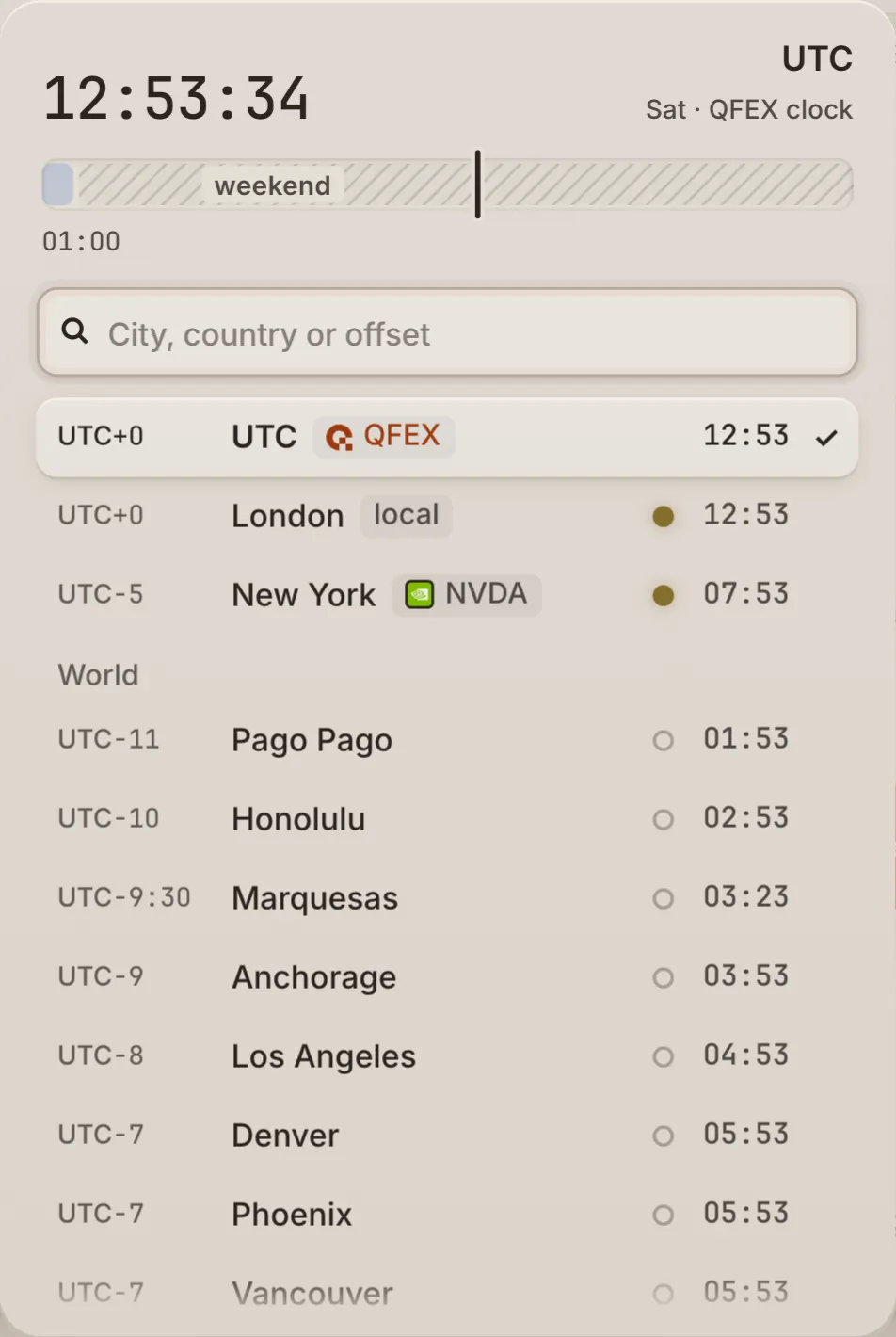
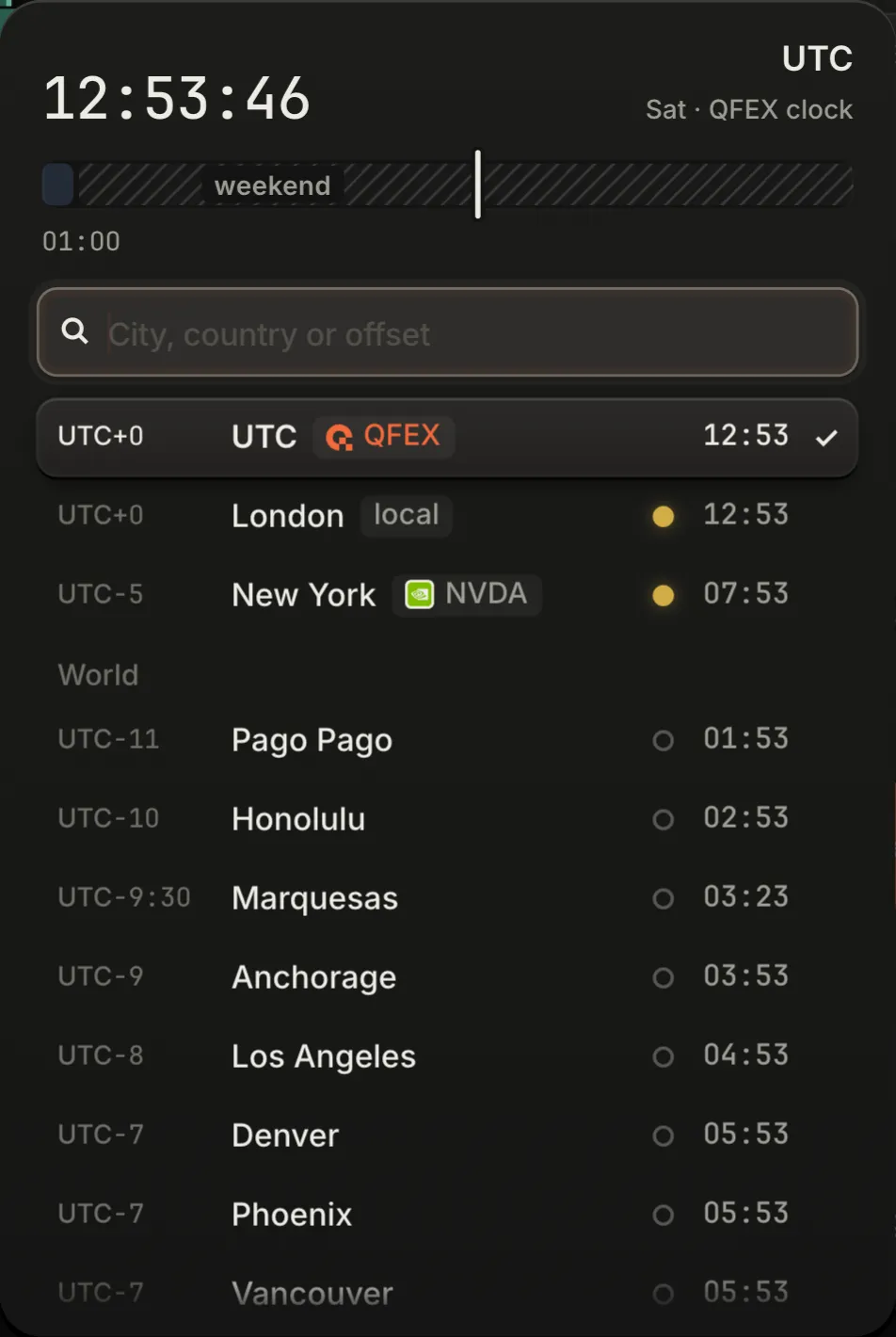
Out of the footer's clock: the zone under the pointer and the US market's day in it, the search, the zones that matter, then the world.
The footer's clock is a key. A press opens the zone picker: the zone under the pointer first, with its time and offset; a search by city, country or offset (tokyo, india, +5:30); the zones that matter (UTC, QFEX's own clock; this machine's; the market in hand's own; your recent picks); then the world, west to east. ↑ ↓ walk it, ↵ picks, esc closes; Settings → Appearance holds the same picker.
- What follows it
- Every time the terminal prints: the clock, the charts, the tapes, the histories, the notifications, QFEX's calendar, the cross-section and the P&L card.
- What keeps QFEX's own
- What QFEX itself fixes, said with its zone: funding on the UTC hour, the account's days, the daily bars and key levels' periods, a market's session hours, the day a company reports.
- A chart's exception
- A chart can keep its market's own zone instead, New York for a US name, in its sessions sheet (The sessions sheet).
It is kept with your appearance, so it follows you while you are signed in.
Help, on every page
Press ? on any page of the product, or the ? in the bar. What is Y's own on the page is cut round as sections (the arm, the books, the chart's own parts, the ticket's costs), and nothing on the page acts while help is open.
- 1Press ?
Each section gets a chip with its number, name and first keys. The page is held still: no click reaches it, no key acts on it.
- 2Point at a part
A part, or a control with something to say (its line, its key), says it. Only in help: an ordinary hover never explains.
- 3Press a section
Its card opens beside it: what it is, its parts ringed, its keys, and its page of this manual in a new tab.
- 4Explain everything
Walks the sections in order; ← and → step.
- 5Keyboard tour
Plays the page's keys safely: a key says what it would do, and nothing runs.
- 6Click to trade
On Focus and the wall: what a click does armed, on each plate in turn.
- The bar
- Drag it anywhere; it stays there for the session. Its one key, Close, is Esc, which also leaves a card first.
- The first time
- A page you open for the first time says once, beside the ? key, that ? explains it; never on a phone.
- Tips
- A control says its name after three seconds of rest on it, never sooner, and never from a pointer a closing panel left in place.
- On a phone
- The card docks above the tab bar.
- Here
- This manual has no help of its own: here ? opens every act and its key.